Desk Calendar Artwork: What Files to Send and How to Approve the Proof
For custom desk calendars, send a vector logo, any monthly photos or messages, and a list of the holidays and company dates to mark, then check every month on the proof before approving. Get Custom Desk Calendars builds the layout from those pieces and returns a free mockup within 24 hours, so you never need finished page designs to start.
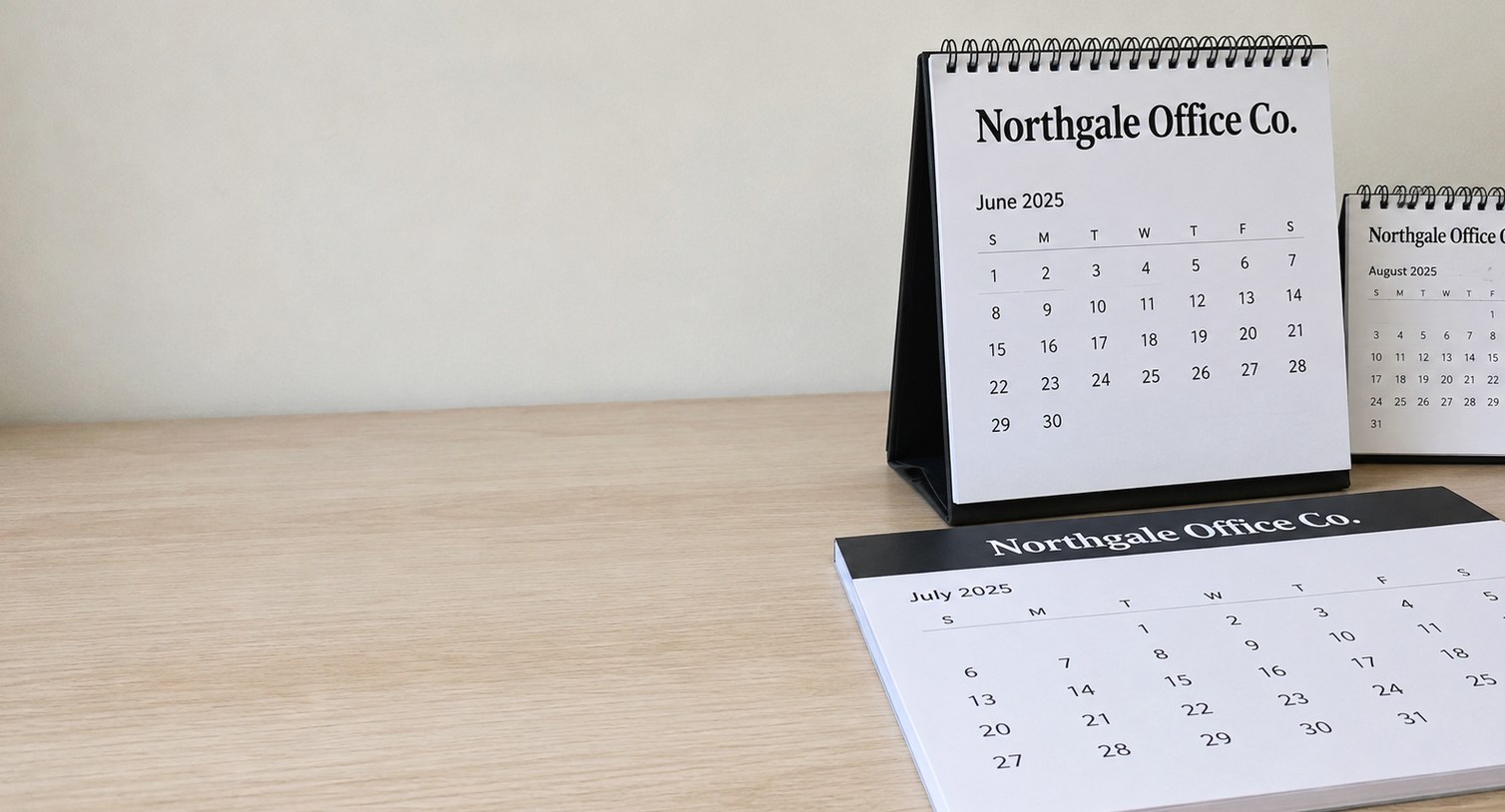
- A vector logo prints sharp at every size on the calendar
- Each month can carry its own photo or message
- Free mockup within 24 hours, unlimited free revisions
- Check every month on the proof, not just the cover
- Minimum order is 12 desk calendars
What artwork do you need to send for custom desk calendars?
For custom desk calendars you need four things: your logo as a vector file, any photos or images you want on the monthly pages, a list of the dates you want marked, and a short note on the format and start month. Get Custom Desk Calendars builds the full layout from those pieces and returns a free mockup within 24 hours, so you do not need finished page designs before you ask for a quote.
A desk calendar carries more artwork than most branded items. A pen or a tote has one logo in one spot. A desk calendar has a cover or header, a branded strip on every page, a date grid, and often an image or message for each month. That means the artwork brief matters more than the logo file alone.
- Logo: a vector file such as AI, EPS, SVG or a vector PDF.
- Imagery: original photos or graphics for each month, if you want them.
- Dates: holidays, office closures and company events to mark on the grid.
- Text: a tagline, website or phone number for the branded strip.
- Format and start month: easel, desk pad, tear-off day block or compact, starting in January or another month.
If one of these is missing, send what you have. The mockup shows exactly where the gaps are, and unlimited free revisions let you fill them in before anything prints.
Which logo file format works best on a desk calendar?
A vector logo works best on a desk calendar because the same mark has to print cleanly at several sizes: large on an easel cover, smaller on the branded strip of each month, and very small on a tear-off day block. Vector files scale without blurring, so the logo stays sharp on every page of the calendar.
Common vector formats are AI, EPS, SVG and PDF files exported from a design program. Be careful with PDFs, because a PDF can also contain a flat photo of a logo, which behaves like a JPG. If your logo came from a designer or a print shop, ask them for the original vector version. Most companies already have one in a brand folder somewhere.
A PNG or JPG can still work when it is large and crisp, and Get Custom Desk Calendars will tell you on the mockup if an image looks soft. Small web logos, screenshots and logos pulled from an email signature are the files that cause trouble, because they look fine on a screen and blur on paper.
Also send a one-color or reversed version of the logo if you have one. Desk pad calendars and day blocks often print the logo over a colored band, and a white version of the mark keeps it readable there.
Can you put different photos or messages on each month of the calendar?
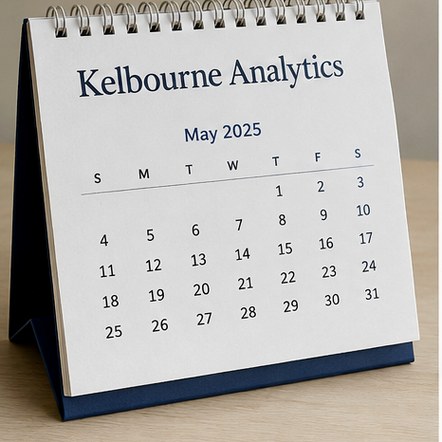
Yes, each month of a custom desk calendar can carry its own photo, illustration or message, and this is the main reason a desk calendar earns its place for a full year. Twelve pages give you twelve chances to say something different, from seasonal product shots to a reminder about a service you offer in a specific quarter.
Monthly imagery works best on standing easel desk calendars and three-month desk calendars, where each page has room for a picture above the grid. Desk pad calendars give most of the sheet to the writing area, so a short message or a small graphic in the header usually reads better than a full photo. Tear-off day blocks have the least space, so a logo and a single line of text per page is the practical limit.
- Use your own images. Photos of your team’s work, your products, your region or your projects feel more personal than stock imagery.
- Keep one theme. A consistent style across the year makes the calendar look designed rather than assembled.
- Tie messages to the month. A spring service reminder in March is more useful than a generic slogan repeated every month.
If you only have a logo, that is fine too. A clean branded layout with a strong date grid is often what keeps a calendar on the desk longest.
How do you make sure your brand colors print correctly on desk calendars?
To keep brand colors accurate on desk calendars, send your exact color references, such as Pantone or CMYK values, along with the logo file. Get Custom Desk Calendars matches the calendar artwork to those references, and the mockup lets you check placement and contrast before anything prints.
Screens and paper show color differently. A blue that glows on a monitor can look deeper on a matte calendar page, and a light gray that looks elegant on screen can almost disappear behind a printed date grid. That is why the color values matter more than how the mockup looks on your own display.
Paper choice affects color too. Coated pages tend to make colors look richer and sharper, while uncoated pages, which are easier to write on, give a softer result. For a desk pad calendar where people write notes daily, an uncoated sheet is often the better trade even if the colors are slightly calmer.
- Send Pantone, CMYK or hex values from your brand guide.
- Check that dates and text still contrast strongly with any background color.
- Ask about the paper finish if exact color is a priority for your brand.
When the brand color is very light, consider using it as an accent band rather than behind the numbers, so the calendar stays easy to read from a chair.
Which dates and holidays should you mark on a custom desk calendar?
Mark the dates your recipients actually plan around: national holidays, your own office closures, and any company or client-facing events. A custom desk calendar is useful only when its grid matches the way people work, so audit the date list before you approve the proof rather than accepting a default set.
Start with the holidays for the country where the calendars will sit. If you send calendars to offices or clients in more than one country, decide whether each group gets its own holiday set or whether one shared calendar shows only the dates everyone recognizes. Then add the dates that are specific to your business.
| Date type | Examples | Who should confirm it |
|---|---|---|
| Public holidays | National and regional holidays for the recipient’s country | Office manager or HR |
| Office closures | Holiday shutdowns, inventory days, training days | Operations |
| Company dates | Anniversaries, product launches, annual events | Marketing |
| Client-facing dates | Open houses, seminars, seasonal service reminders | Sales or account managers |
Keep the list short. A calendar crowded with labels is harder to write on, and a few well-chosen dates do more for the brand than a busy grid.
What should you check on a desk calendar proof before approving it?
Before approving a desk calendar proof, check every month, not just the cover. Confirm that each month has the right number of days, that dates fall on the correct weekdays, that your marked holidays sit on the right dates, and that the logo, contact details and spelling are correct on every page. Get Custom Desk Calendars offers unlimited free revisions, so there is no reason to approve a proof with a doubt left in it.
Calendar proofs hide errors in places a single-logo proof never would. A start month that is one month off, a holiday that moves year to year, or a phone number with a transposed digit gets repeated across the whole year and is visible every working day.
- Confirm the start month and the year on the cover and on the first page.
- Spot-check the first and last weekday of several months.
- Find each marked holiday and company date on the grid.
- Read the website, phone number and tagline out loud on at least two pages.
- Check that the logo is crisp and correctly colored at every size.
- Have one person who did not build the brief read the whole proof.
You pay nothing until you approve the design, so the proof stage is where all the checking belongs.
Does the desk calendar format change what artwork you need?
Yes, the format changes the artwork brief, which is why choosing between an easel, a desk pad, a tear-off day block and a compact calendar should happen before anyone builds layouts. Each format gives the brand a different amount of space and puts it in a different place on the page.
| Format | Where the branding sits | Artwork that fits best |
|---|---|---|
| Standing easel | Cover, plus a strip or image area on every page | Logo, monthly photos or messages |
| Desk pad | Header and side margins around a large writing area | Logo, short tagline, small graphics |
| Tear-off day block | Top of each daily sheet and the holder | Logo and one short line of text |
| Compact | Small cover and a narrow strip per page | Simple logo, minimal text |
| Three-month view | Header above three months of grid | Logo, contact details, one image per page |
Refillable desk calendar stands add one more layer: the stand carries permanent branding, while the inserts change each year. That lets you keep the logo on the stand fixed and refresh only the calendar pages next time.
If you are unsure which format fits, describe the desks and the recipients in the quote form, and the mockup can show more than one option side by side.
How do you send artwork and request a desk calendar mockup?
To get a desk calendar mockup, submit the quote form on Get Custom Desk Calendars with your logo, your preferred format, the quantity, the start month and any dates or images you want included. A free mockup comes back within 24 hours, and production takes about 2 weeks after you approve it, with faster turnaround available with express shipping.
The minimum order is 12 desk calendars, so a small team, a single branch office or a short client list can order the same custom artwork as a large company. Every order goes through the same proof process.
- Attach the vector logo and any monthly images.
- List holidays, closures and company dates in the notes.
- Name the format, or describe the desks if you want a recommendation.
- Give the date the calendars need to be in hand.
The more complete the first brief, the closer the first mockup is to final, which saves a round of revisions and keeps your timeline on track.
Frequently asked questions
What logo file format works best for custom desk calendars?
Custom desk calendars print best from a vector logo, such as an AI, EPS, SVG or vector PDF file, because the same mark appears at several sizes across the cover and monthly pages. Vector artwork stays sharp at every size. Get Custom Desk Calendars can also work from a large, crisp PNG or JPG and will flag on the free mockup if any image looks too soft to print cleanly.
Can I use my own photos for each month of a desk calendar?
Desk calendars can carry your own photos on every month, and original images of your work, products, team spaces or region usually feel more personal than stock pictures. Standing easel and three-month formats have the most room for imagery. Send the original files rather than screenshots, and Get Custom Desk Calendars will show each photo in place on the mockup before you approve.
Will the colors on my desk calendars match our brand colors?
Desk calendars match brand colors most closely when you send exact Pantone, CMYK or hex values from your brand guide with the logo. Screens show color differently from paper, so rely on those references rather than how the mockup looks on your monitor. Paper finish also plays a role, with coated pages looking richer and uncoated pages looking softer but writing more easily.
Can a desk calendar show holidays from more than one country?
A desk calendar can show holidays from more than one country, or you can split the order so each office or client group gets its own holiday set. Shared calendars work best when they mark only the dates everyone recognizes. Get Custom Desk Calendars can lay out both approaches on the mockup so you can compare readability before choosing.
Do I need a graphic designer to prepare desk calendar artwork?
Ordering desk calendars does not require a graphic designer. Send your logo, any images you want, the dates to mark and a note on format and start month, and Get Custom Desk Calendars builds the full layout for you. The free mockup arrives within 24 hours, and unlimited free revisions let you adjust placement, text and colors until the calendar looks right.
Can each page of a desk calendar carry a different promotion?
Desk calendars can carry a different message or promotion on each page, which turns one item into a year of reminders. Tie each message to its month, such as a seasonal service in spring or an event in the fall, so the page stays relevant while it is showing. Keep the wording short so the date grid remains the main thing people see.
What should I check on a desk calendar proof before approving it?
A desk calendar proof should be checked month by month: correct start month and year, correct weekdays, holidays on the right dates, and accurate logo, phone number, website and spelling on every page. Ask someone who did not write the brief to read it too. Nothing is charged until you approve the design, so take the time to catch errors.
Can our office closures and company events be printed on the calendar grid?
Desk calendars can include office closures, training days, anniversaries, launches and client events printed directly on the date grid. List each date and its label in the quote form notes, and confirm them with operations or marketing before approving. Keep the list focused, because a grid crowded with labels leaves less room for the notes people write on their calendars.
What if my logo only exists as a small, low-resolution image?
Desk calendars printed from a small, low-resolution logo can look blurry on paper even if the file looks fine on screen. Check with whoever designed the logo for an original vector version first. If none exists, Get Custom Desk Calendars will point out soft artwork on the mockup so you can decide on a cleaner file before anything goes to production.
Where does the logo go on a tear-off day block?
Tear-off day blocks place the logo at the top of each daily sheet and often on the holder or base as well. Because each sheet has little space, a simple logo with one short line of text, such as a website, reads best. A one-color or reversed version of the logo helps when it sits on a colored band above the date.
Can I add a website and phone number to every month of a desk calendar?
Desk calendars can show a website, phone number or short tagline on every month, usually in a branded strip above or below the date grid. This keeps your contact details in view all year without crowding the writing space. Read the details aloud on the proof, because a single wrong digit repeats across every page once the calendars are printed.
Get a free mockup for your desk calendars
Send your logo or idea and the quantity you have in mind. Get Custom Desk Calendars returns a free mockup within 24 hours, you approve the design before anything is produced, and standard turnaround is about two weeks with faster options available. Get a custom quote.